MiniRobotLanguage (MRL)
AIG.Set Key
Set Google Generative AI API Key
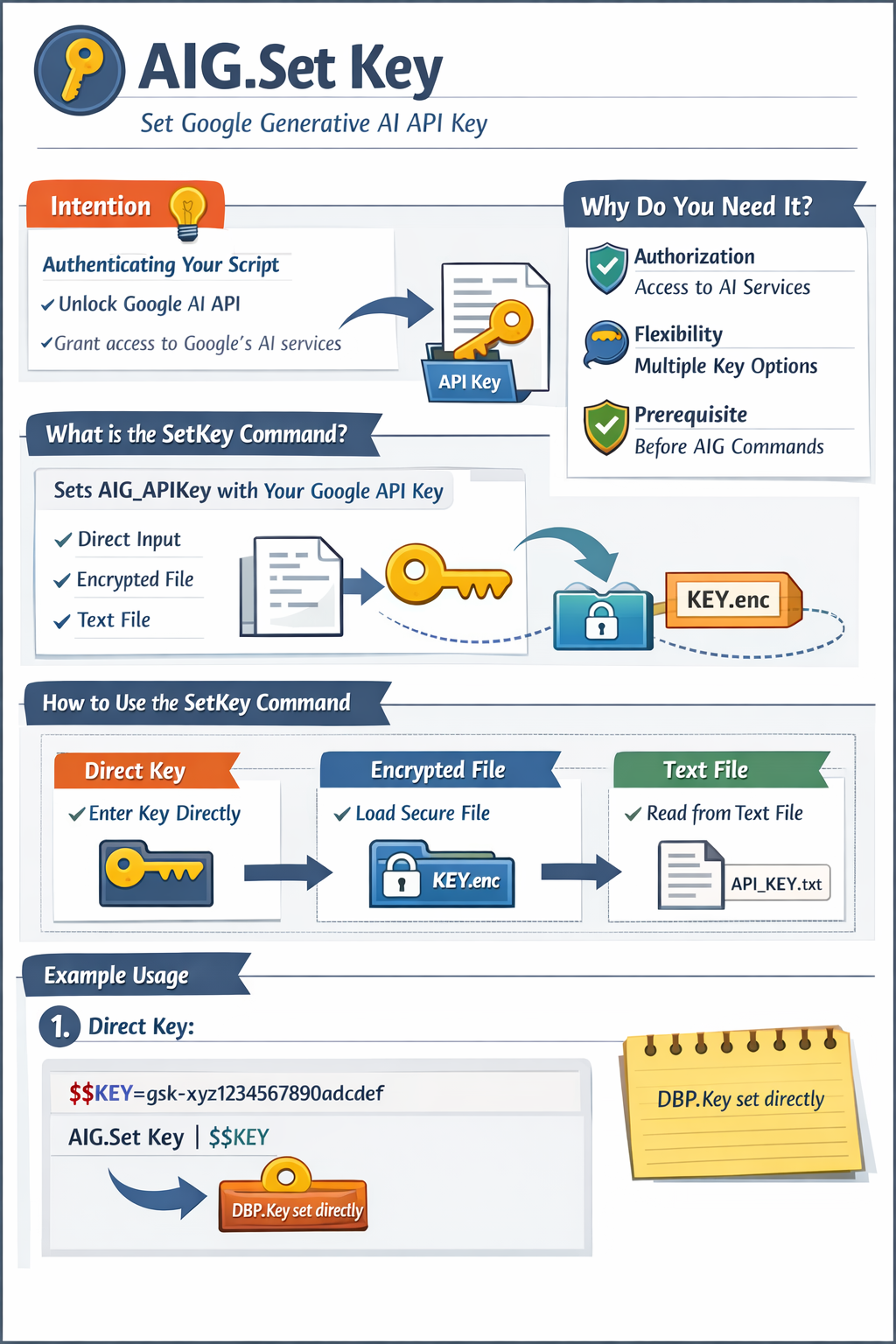
Intention
SetKey Command: Authenticating Your Script
The SetKey Command is your gateway to unlocking the Google Generative AI API�s capabilities within your script.
It authenticates your access to Google�s cloud-based AI services, enabling Commands like AIG.Ask.
It�s part of the API Key Management suite within AIG.
What is the SetKey Command?
The SetKey Command initializes your script by setting the AIG_APIKey global variable with your Google API key.
It supports multiple methods: direct key input, loading from an encrypted file, or reading from a text file.
Why Do You Need It?
This Command is essential because:
•Authorization: It validates your access to Google�s cloud-based AI services.
•Flexibility: Offers multiple ways to provide the key securely.
•Prerequisite: Required before using any AIG API Commands.
How to Use the SetKey Command?
Use this Command at the start of your script to authenticate with one of these methods:
?Direct Key: Specify the API key directly in the script.
?Encrypted File: Load from an encrypted file created by AIG.Save Key (preferred for security).
?Text File: Read from a plain text file, useful for sharing executables.
Example Usage
1. Direct Key:
$$KEY=gsk-xyz1234567890abcdef
AIG.Set Key|$$KEY
DBP.Key set directly
2. From Encrypted File:
AIG.Set Key|from_File
DBP.Key loaded from ?exeloc\AIG_License_Key.dat
3. From Text File:
AIG.Set Key|from_Text|C:\Keys\MyGoogleKey.txt
DBP.Key loaded from custom text file
or
4. From Any:
AIG.Set Key|from Any
DBP.Key loaded from wherever it was found (File or Text)
Illustration
+-----------------------------+
� Key Source �
+-----------------------------�
� ?exeloc\AIG_License_Key.dat �
+-----------------------------+
Default encrypted file location for 'from_File' option.
Syntax
AIG.SetKey|P1[|P2]
AIG.Set Key|P1[|P2]
Parameter Explanation
P1 - The source of the API key, which can be:
•A Google Generative AI API key string (e.g., "gsk-xyz...").
•"from_File" - Loads from an encrypted file (default: ?exeloc\AIG_License_Key.dat) created by AIG.Save Key.
•"from_Text" - Reads from a plain text file (default: ?exeloc\AIG_License_Key.txt).
•"any" reads any of the two sorts of keys that is available.
P2 - (Optional) File path for "from_File" or "from_Text". If omitted, defaults to ?exeloc\AIG_License_Key.dat or ?exeloc\AIG_License_Key.txt based on P1.
Example
' Set key directly (replace with your real key)
$$KEY=gsk-xyz1234567890abcdef
AIG.Set Key|$$KEY
AIG.Ask|What is the weather like?|$$RET
DBP.$$RET
ENR.
' Load from encrypted file
AIG.Set Key|from_File
AIG.Ask|Tell me a joke|$$RET
DBP.$$RET
ENR.
Remarks
- Must be called before any API interactions.
- "from_File" requires a prior AIG.Save Key execution.
- Use Google Cloud Console to obtain your API key.
Limitations
- "from_File" encryption is basic; avoid distributing the file.
- Requires an internet connection for API access.
See also:
? AIG.Ask